

101.2. How to plot with TOPCAT#
For the API Aspect of the Rubin Science Platform at data.lsst.cloud.
Data Release: DP1
Last verified to run: 2026-02-02
Learning objective: This tutorial provides a basic guide to plotting data within TOPCAT to explore DP1.
LSST data products: The DP1 catalogs within the Rubin Science Platform (RSP) Table Access Protocol (TAP) service.
Credit: Based on tutorials developed by the Rubin Community Science team. Please consider acknowledging them if this tutorial is used for the preparation of journal articles, software releases, or other tutorials.
Get Support: Everyone is encouraged to ask questions or raise issues in the Support Category of the Rubin Community Forum. Rubin staff will respond to all questions posted there.
1. Open TOPCAT and access DP1 Data.
See API Tutorial 101-1 for instructions on how to access Rubin DP1 data with “Tool for OPerations on Catalogues And Tables” (TOPCAT).
2. Create DP1 Skymap
Create a skymap of the Data Preview 1 Dataset using TOPCAT and an “aitoff” projection.
2.1 Use TAP Query window
After starting TOPCAT and accessing the Rubin DP1 data through the VO protocol, click on “dp1.CoaddPatches” in the Table Access Protocol (TAP) Query Metadata section. Notice tabs in the right-hand window. Click on “Columns” to see a description of each of the columns in this table.
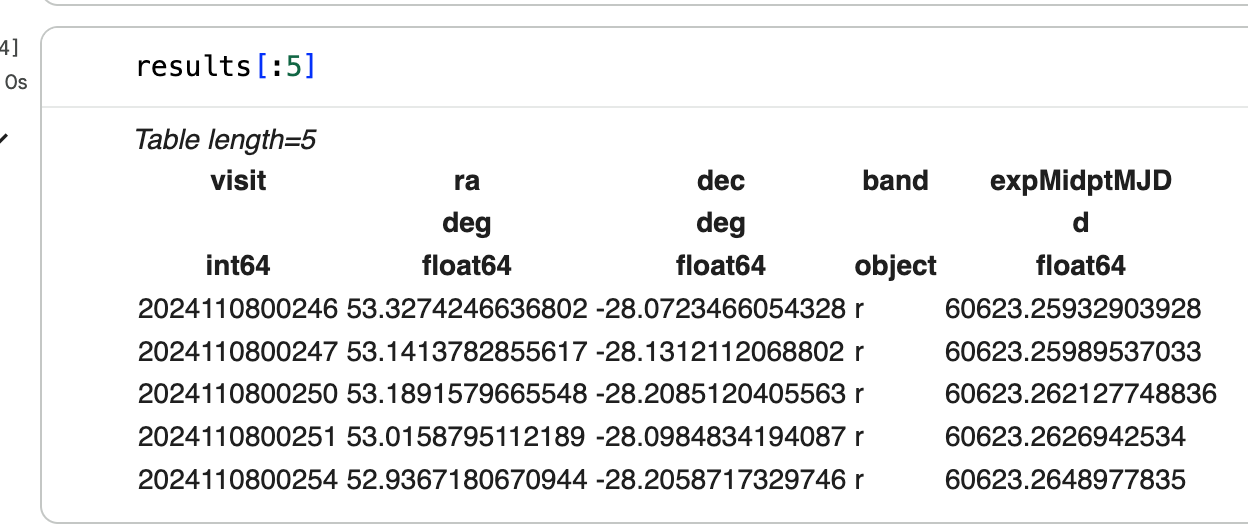
Figure 1: TAP Query window with dp1.CoaddPatches table selected, column descriptions visible, and ADQL query in ADQL Text box.#
2.2 Run ADQL query
Within the ADQL Text panel of the Table Access Protocol (TAP) Query window, copy the ADQL query below and paste into the ADQL text window, then click “Run Query”. This query will retrieve the RA/DEC of each of the Coadd Patches within dp1.
NOTE: It is recommended to construct a TAP query using spatial constraints but that is not necessary in this case because the dp1.CoaddPatches table is small. See examples of queries with spatial constraints in API 101-1 (linked above) or step 3.1 below.
SELECT s_ra, s_dec
FROM dp1.CoaddPatches
2.3 Create Skymap of DP1 fields using the Sky plotting window and Aitoff projection
A new window will open which shows the “Table List” (red arrow) and “Current Table Properties”. Notice this table has 652 rows for each of the Coadd Patches and 2 columns (for RA and DEC). To create a Skymap of data returned from the query, click on the “Sky plotting window” (red circle).
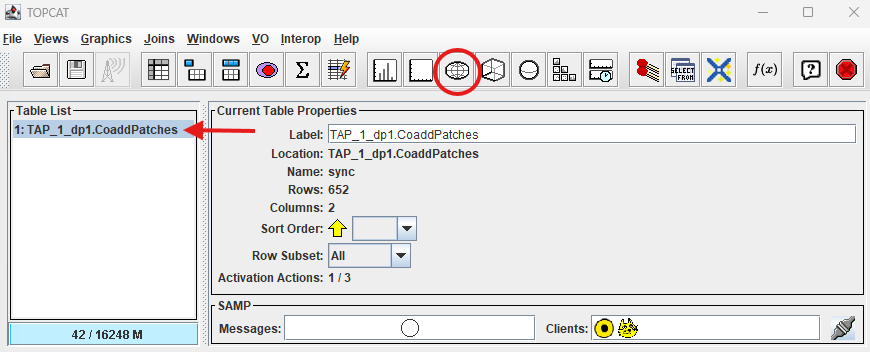
Figure 2: Click “Sky plotting window”.#
The default plot shows the seven fields contained in Data Preview 1 on a rotating globe. Click on “Axes”, then select “aitoff” from the “Projection” drop-down menu to change the skymap.
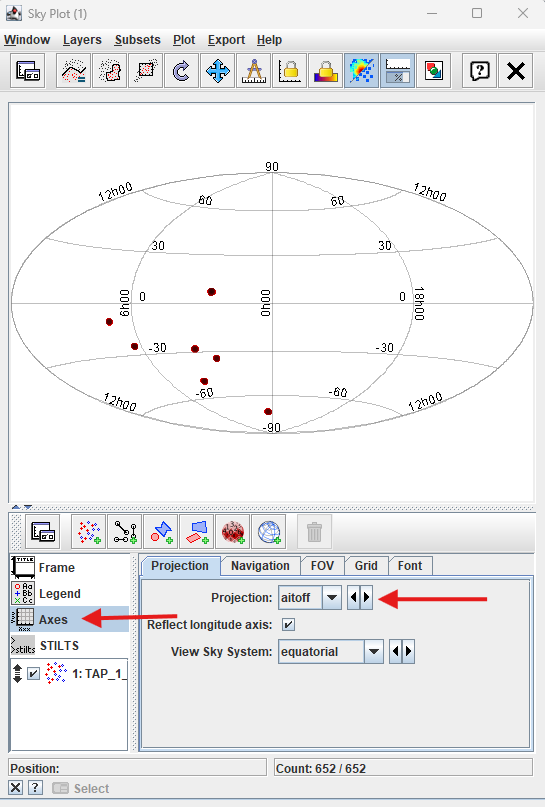
Figure 3: Skymap of dp1 fields on aitoff projection.#
3. Create Histogram of dp1.CCDVisit table limiting magnitude in the ECDFS field
Create a histogram in TOPCAT by using the Histogram button.
3.1 Run ADQL query on dp1.Object table and plot histogram
Copy the ADQL query below, add it to the window in the “ADQL Text” box (see Figure 1) and click “Run Query”.
SELECT visitId, ra, dec, band, seeing, magLim
  FROM dp1.CcdVisit
WHERE CONTAINS(POINT('ICRS', ra, dec),CIRCLE('ICRS', 53.16, -28.1, 1.0))=1
Notice a new table (red arrow) is available in the TOPCAT window. Select the table button to review the contents. Click the histogram button (red circle) to create a histogram.
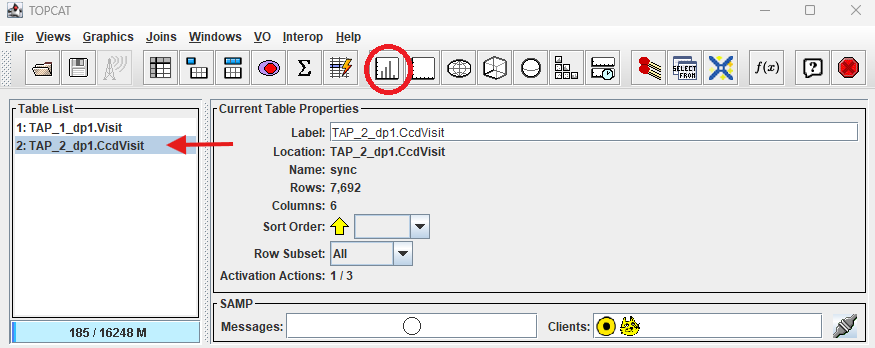
Figure 4: New table from dp1.CCDVisit query.#
3.2 Plot Histogram
In the “Histogram Plot” window, select “magLim” from the “X:” drop-down menu.
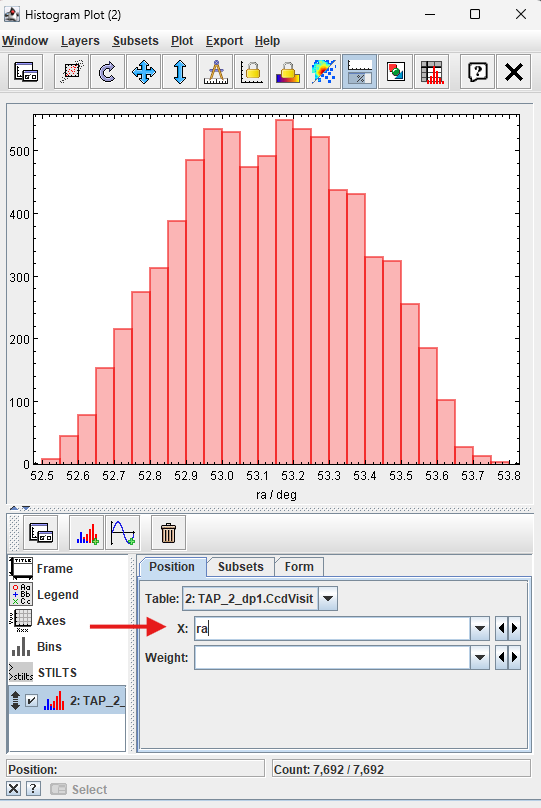
Figure 5: Initial histogram with “ra/deg” on the x-axis.#
Histogram of magLim for the ECDFS field in dp1.CCDVisit table.
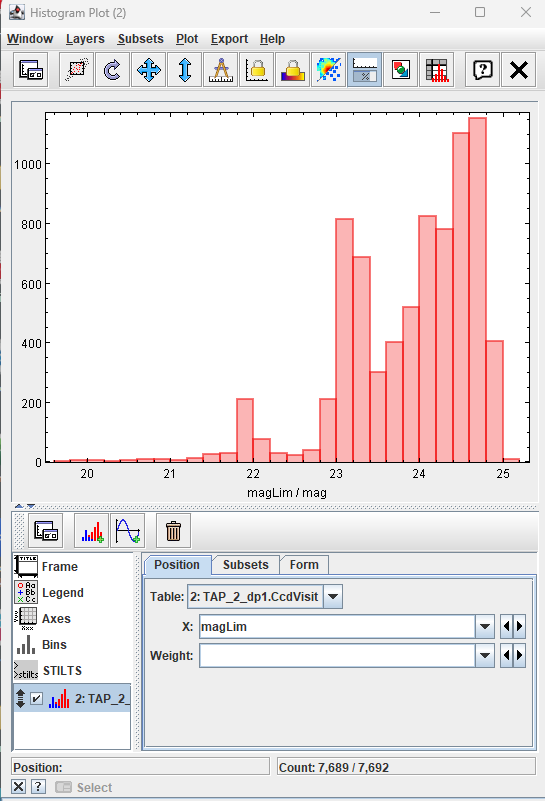
Figure 6: Histogram of “magLim” for the ECDFS field.#
4. Create Color-Color Diagram (CCD) with TOPCAT
Create a CCD in TOPCAT by using the “Plane plotting window”.
4.1 Run query
Copy the following query into the “ADQL Text” box in the TAP Query window (see figure 1), then click “Run Query”.
SELECT coord_ra, coord_dec,
       g_psfMag, i_psfMag, r_psfMag,
       g_cModelMag, i_cModelMag, r_cModelMag,
       g_psfFlux, g_psfFLuxErr,
       r_psfFlux, r_psfFLuxErr,
       i_psfFlux, i_psfFLuxErr,
       refExtendedness
FROM dp1.Object
WHERE CONTAINS(POINT('ICRS', coord_ra, coord_dec), CIRCLE('ICRS', 53, -28, 1))=1
      AND g_psfFlux/g_psfFluxErr > 5
      AND r_psfFlux/r_psfFluxErr > 5
      AND i_psfFlux/i_psfFluxErr > 5
4.2 Create CCD
Click on the “Plane plotting window” shown in Figure 7 with the blue circle.
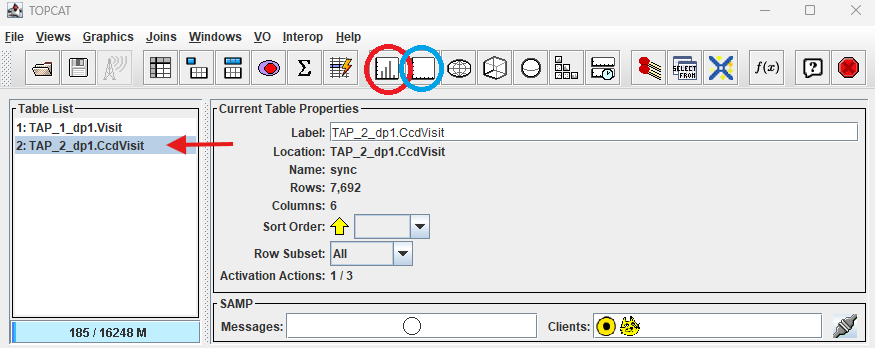
Figure 7: Plane plotting window button (blue circle).#
Add g_psfMag-r_psfMag in the “X:” selection box and r_psfMag-i_psfMag in the “Y:” box (red arrow), then hit “Enter”.
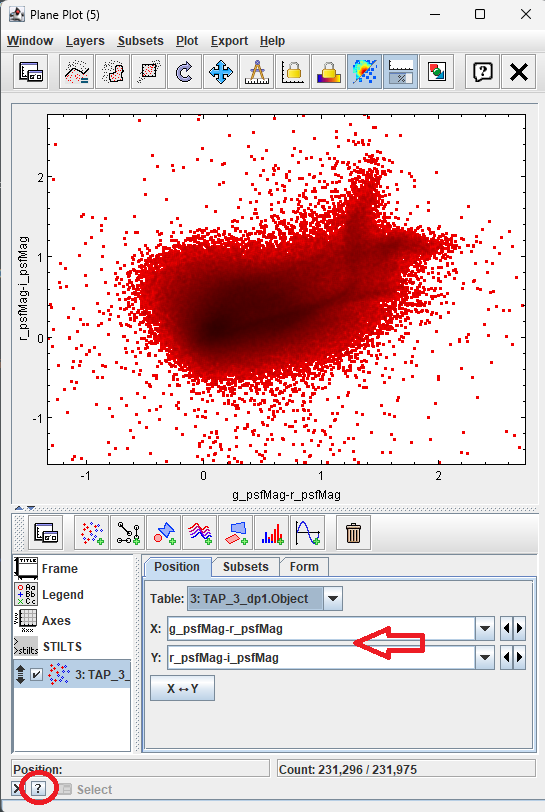
Figure 8: Color-Color Diagram of ECDFS field.#
Figure 8 shows a zoomed in view of the highest concentration of stars. Zooming in TOPCAT is performed using the mouse (drag to move, scroll to zoom). TOPCAT does not currently provide keyboard shortcuts for zooming. Click the “?” icon (red circle) at the lower left for further instructions.